Welcome to Site Haus
What Site Haus is, what you can make with it, and where to begin.
Site Haus is one workspace for three jobs that usually need three different tools:
- Build websites with AI. Describe a site, or drop in screenshots, and an AI builds a real website or WordPress theme while you watch. You can then keep changing it by chatting, by clicking parts of the page, or by editing the code.
- Run a client business. Write proposals, send them as a private link, take deposits by card or crypto, and give each client their own branded portal for files, notes, messages and progress. This is the Agency side.
- Design. In Design Studio you make brand guidelines, pitch decks, social posts, flyers, motion videos and more, at any size. The AI writes a first version, and every piece of it stays an editable layer.
How it is laid out#
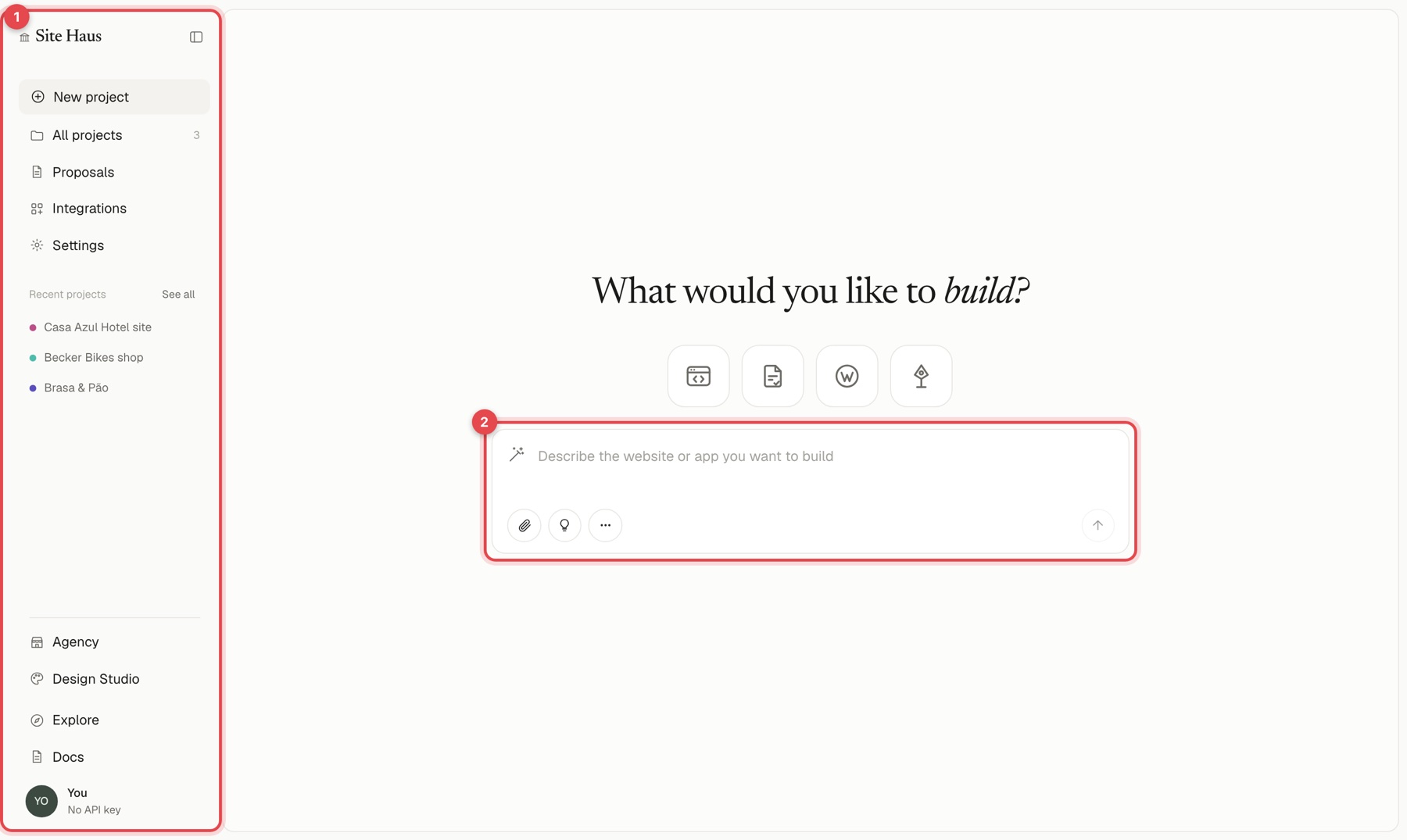
Everything is in the sidebar on the left (1). The box in the middle (2) is where you describe what to build. The sidebar items are:
| Sidebar item | What it is for |
|---|---|
| New project | Start a website, web app, WordPress theme or proposal |
| All projects | Everything you have built |
| Proposals | Write and send proposals |
| Integrations | Connect Stripe, email, GitHub, Figma and more |
| Settings | Your profile, plan, billing and usage |
| Agency | Leads, forms, clients, inbox and payments |
| Design Studio | Brand guidelines, decks and social posts |
| Templates | Ready-made templates, finished sites, proposal templates and skills to start from |
Where to begin#
- Create an account and take the tour of the workspace.
- Follow your first project to build a site in a few minutes.
- Learn the home box: The home box and the / menu.
- Come back to the other sections when you need them: a WordPress theme, a server app, proposals, client portals, your team, Design Studio, skills or Help and feedback.
If something does not work the way these pages describe, check Troubleshooting.