Import a project
Bring in an existing WordPress theme, web app, GitHub repository or Figma design.
You do not have to start from nothing. Import what you already have and carry on with the AI.
Import a ZIP#
On the home screen, open the + menu below the box and choose Import project, then choose a ZIP file. The same menu has Figma and GitHub.
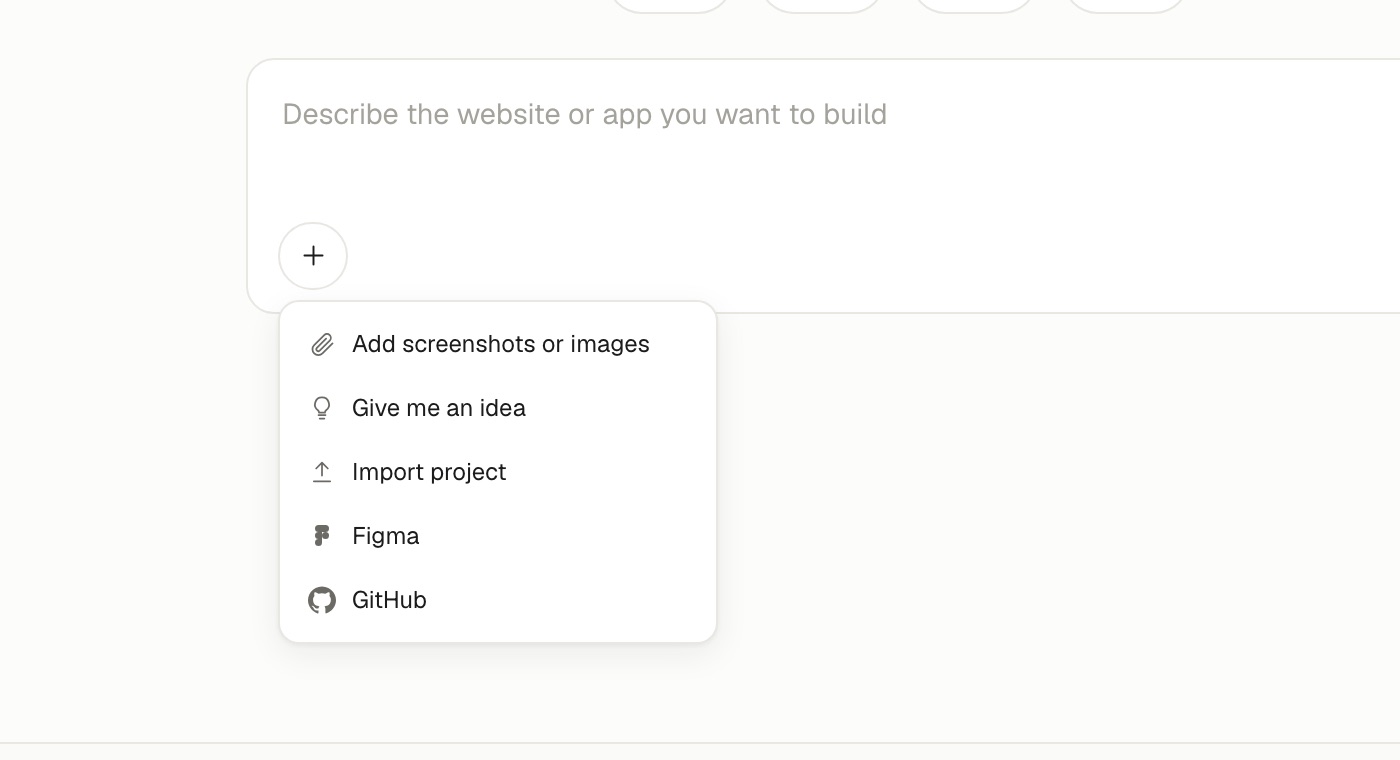
Site Haus works out what is inside. There is nothing for you to select.
| What is in the ZIP | What happens |
|---|---|
A WordPress theme (a style.css with a theme name) | Imported as a WordPress theme, and scanned for unsafe code |
| A site built with a framework such as Next.js, Nuxt, Astro, Vite, React, Vue, Svelte or Angular | Installed, built and run |
| A Node server app (Express and similar) | Installed and started |
| A Python app (Flask, FastAPI, Django, Streamlit) | Set up and started |
A plain index.html site | Opened as a browser project |
Programs and archives inside the ZIP are refused, and large or unsupported projects are turned away with an explanation. A project that needs a server runs in a sandbox.
Import from GitHub#
Choose GitHub on the home screen, pick a repository or paste its address, and it comes in as a project. Public repositories need no connection. See GitHub.
Import from Figma#
Paste a Figma link and the AI rebuilds the design. See Use images and Figma.
After you import#
Your imported project behaves like any other: chat, edit, preview, version and publish. If it listed plugins it needs, a banner tells you.