Agency overview
Pro
What the Agency area includes and how the pieces fit together.
Agency is for freelancers and studios who build sites for clients. It takes you from a first enquiry to a finished project and a paid invoice, in one place.
The tabs#
| Tab | What it is for |
|---|---|
| Leads | A pipeline of prospects, with follow-up dates and notes |
| Forms | Intake forms you send to prospects and clients |
| Proposals | Proposals with payment, see Write a proposal |
| Inbox | Email conversations with leads and clients |
| Tickets | Requests that clients send from their portal |
| Tasks | The team's to-do list for client work, with due dates, checklists and a board, see Tasks |
| Payments | Everything clients have paid or still owe, and an export for your accountant |
| Billing | Charges for hosting, domains and care plans |
| Clients | Client spaces, projects, downloads and notes |
| Agency settings | Your agency name, logo, colours and client portal, and Zapier, webhooks and the API |
A Team tab appears when you have teammates. You can drag the tabs into the order you prefer.
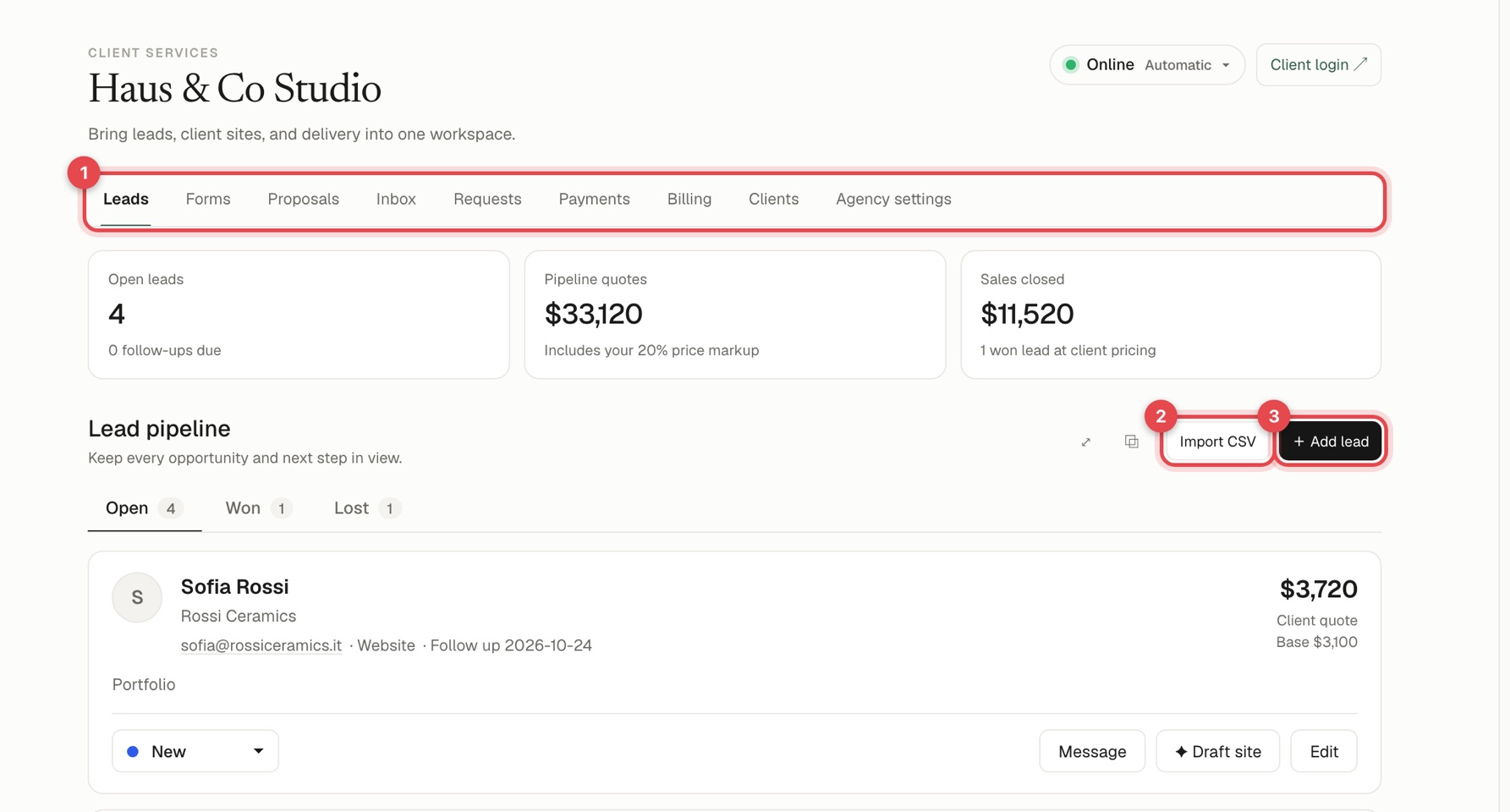
At the top right, the Online status controls whether clients see you as available, and Client login opens the page where your clients sign in.
A typical flow#
- A prospect fills in an intake form. They arrive in Leads with their answers.
- You send a proposal. The client accepts and pays a deposit.
- You create a client space and give the client a login.
- You build the project in Site Haus, and share files and notes with the client.
- The client sends requests for changes from their portal.
- When it is done, you mark the project complete.
Each step is explained in the pages that follow.
Use your own AI with your agency#
Connect Claude, ChatGPT or another MCP agent and it can read your leads, clients, requests, inbox, payments and brand, and help keep your team's tasks and time up to date, within your team roles. See Use your own AI with your agency.