Describe and build
Start a website, web app or WordPress theme from a description, and what the AI does with it.
Choose what to build#
On the home screen, four icons sit above the box. Rest the pointer on one for a moment to see what it is. The first three choose what to build:
- Website or web app builds something that runs in the browser. Use it for landing pages, small sites, tools and apps.
- WordPress theme builds a real theme you can install on a WordPress site, with demo content. See Build a WordPress theme with AI.
- Proposal writes a client proposal. That has its own guide: Write a proposal.
The fourth icon opens Design Studio. For the Scroll world builder, type /scroll-world in the box. More in The home box and the / menu.
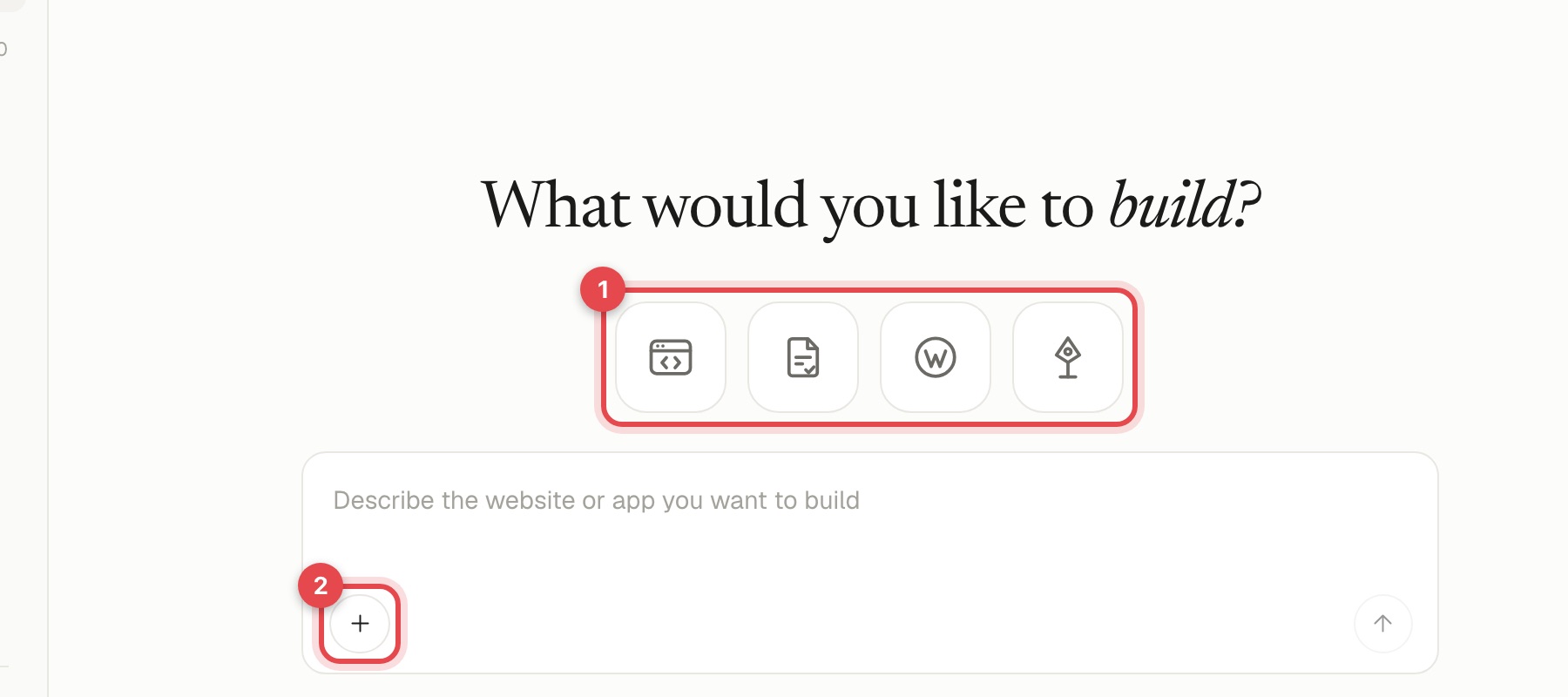
You can also open New project in the sidebar, or start from something in Templates.
Write a good description#
You do not need technical words. Tell the AI:
- Who it is for. "Young families in Lisbon", "small law firms", "indie game fans".
- What it must do. "Show the menu and opening hours", "let people book a call".
- The feeling. "Warm and handmade", "calm and trustworthy", "bold and playful".
- The pages or sections. "Home, menu, about, contact".
- Anything you already have. A logo, colours, wording, a site you like.
What happens next#
The AI works in steps you can watch in the chat:
- It writes a design brief: the audience, the look, the pages and the plan.
- It builds the files and adds demo content.
- It checks its own work. If something fails, it fixes it and tries again.
If it needs to know something, it asks you a question in the chat. Answer in your own words or pick one of the options.
You can stop a run at any time. If you stop it before it finishes, nothing from that run is saved.
Choosing the AI model#
Under the chat box you can choose which model does the work. The list shows what each is best at: the most capable model for big or tricky work, faster ones for quick changes. If you are not sure, leave the default.
What it costs#
The built-in AI uses your plan's monthly allowance first, then your credits. You can always use your own ChatGPT or Claude instead, for free: see Connect your own AI. Details of allowances are in Plans and credits.