Leads and intake forms
Pro
Collect enquiries with a form link, track them in a pipeline, and start a project from a lead.
Intake forms#
In Agency → Forms you make a link you can send to a prospect. They answer one question at a time (budget, type of site, what it is for, timeline and more) and need no account.
- Press New form and choose where to start. You can use the starting questions or edit them.
- Give it a link name if you want a friendly address, for example
/f/bakery-brief. - Copy the link and send it.
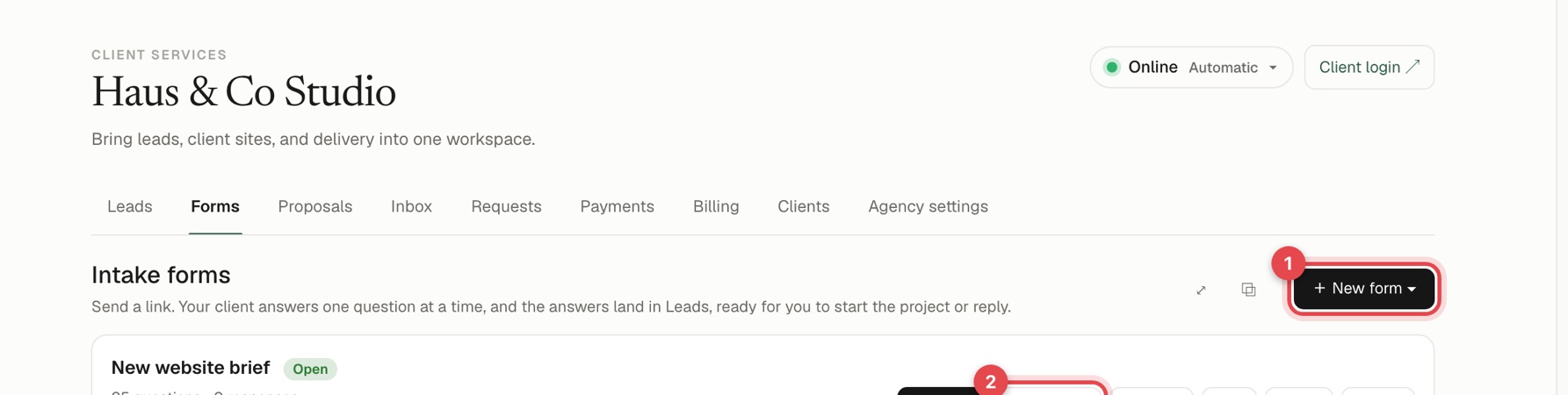
Each form shows its link and how many questions and responses it has. Copy link, Client links, Preview, Edit, Close and Delete are right there. The answers arrive in Leads as a new lead, with the full brief.
Links for individual clients#
Make a separate link for a specific person. When they open it they are greeted by name, and what you already know is filled in. You can see who has opened and who has answered, and email the link from the app. A client link can be answered once, while the form's main link works for anyone.
Safety#
The link shows only the questions and your agency name and colour. A hidden field catches robots, and one visitor can send about 10 submissions an hour.
See how your forms are doing#
Open Forms, then the Analytics tab. Pick one form or all of them, and a period from a week to a year. You see:
- Opens, and how many different people opened a form. Opens are counted from the day this was added.
- Responses, and the share of people who opened a form and sent it.
- Became clients: responses that you moved to Won, or whose email belongs to one of your clients.
- Client value and open pipeline, from the budget people chose.
- First reply: how long you usually take to message a new response.
- From open to client, where people drop off: opened, answered the first question, sent, became a client.
- What people answered: for every pick-one, pick-several and budget question, how many chose each answer and how many of them became clients.
- Client links: how many you made, how many were emailed, opened and answered.
Search engines and other robots are not counted.
Leads#
Agency → Leads is your pipeline. At the top you see Open leads, Pipeline quotes (your price plus markup) and Sales closed. Add a lead yourself with Add lead (3) or bring many with Import CSV (2). The tabs (1) switch between agency sections, and the pipeline has Open, Won and Lost views.
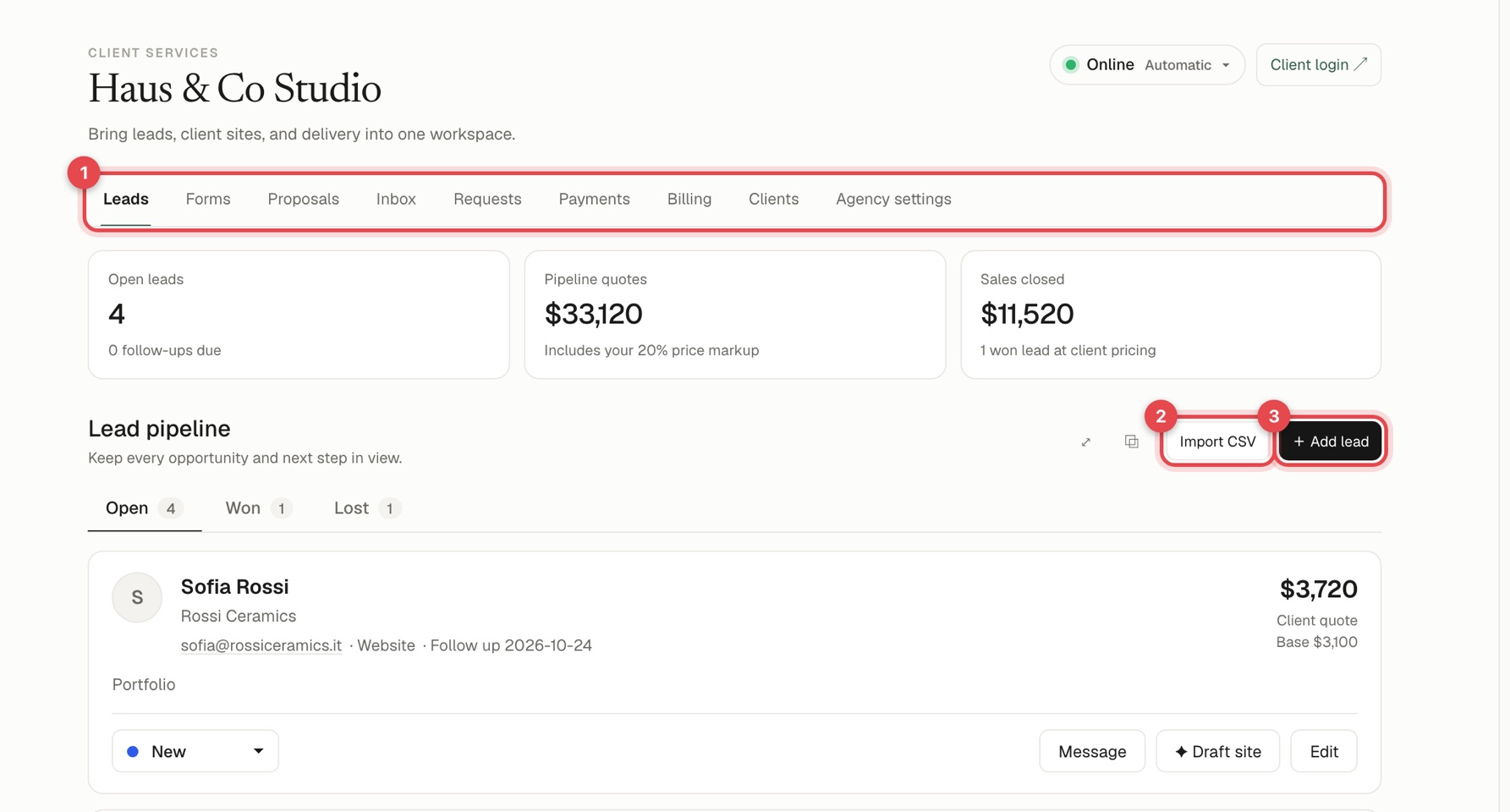
Each lead has contact details, a status, a source, a follow-up date and notes.
From a lead you can:
- Change its status with the dropdown.
- Message the lead by email, from the mailbox you connected in Integrations. See Email.
- Draft site, which starts a project and gives the AI the whole brief.
- Edit the details.
To write a proposal for a lead, choose it under For a lead when you create a proposal. See Write a proposal.